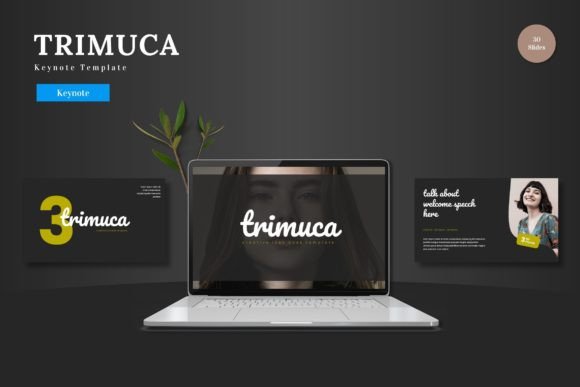
Evaluating Presentation Design: A Look at the Buredac - Keynote Template
When building a professional presentation, the foundation matters. A well-designed template isn't just about aesthetics; it’s about structure, efficiency, and audience engagement. The Buredac - Keynote Template is one such foundation designed for Apple’s Keynote application. It presents itself as a comprehensive package aimed at users who need a cohesive starting point, but how does it stack up in the broader landscape of presentation tools and resources? Let’s examine its features, typical use cases, and where it might fit—or not fit—into your workflow.
What Distinguishes the Buredac Keynote Template
The Buredac - Keynote Template is a pre-designed set of slides and assets for Keynote. Its core proposition is offering a complete, visually coordinated system. The package includes 150 total slides distributed across 5 premade color schemes, meaning you get 30 slides for each color variant. This structure provides immediate variety without forcing you to manually recolor every element.
A notable feature is its reliance on master slides and handcrafted infographics. Using master slides means changes to fonts, colors, or core layouts can propagate throughout your presentation, which is a significant time-saver compared to adjusting individual slides. The inclusion of pixel-perfect illustrations and resizable, editable graphics offers flexibility. You’re not locked into static images; the vectors can be adapted to suit your specific data or branding.
Practical elements like dedicated section break slides, picture placeholder drag-and-drop functionality, and gallery/portfolio slides address common presentation needs. The main file includes the core Keynote document, a readme file, and font information, aiming for a self-contained package.
Comparing Approaches to Presentation Design
To understand the value of a template like Buredac, it’s useful to consider the alternative approaches available. One common route is building a presentation entirely from scratch within Keynote or PowerPoint. This offers maximum control and originality but demands significant design skill and time. For professionals without a background in graphic design, this path can lead to inconsistent visuals and a lengthy creation process.
Another approach is using the built-in templates provided by Keynote itself. These are often clean and modern but can be limited in number and depth. They may not offer the breadth of slide types—like detailed infographics or portfolio layouts—that a specialized template provides. A third alternative is subscribing to online platforms that offer thousands of templates across different software. These libraries provide immense choice but can become overwhelming, and quality or consistency between different templates within a single presentation can vary.
The Buredac - Keynote Template sits between these options. It offers more depth and cohesion than native starter templates, with a unified look across many slide types. It provides a focused collection compared to the vastness of online libraries, which can reduce decision paralysis. However, it is a single, fixed package. You are working within its designed ecosystem, not picking individual slides from a disparate catalog.
Strengths and Potential Trade-offs
The clear strength of this template is its cohesion and efficiency. Starting with 150 slides built on master pages means you can produce a lengthy, visually engaging presentation quickly. The five color variations are a practical strength, allowing quick adaptation for different brands, topics, or moods without redesigning content. For someone who needs to produce professional-looking talks regularly—such as a consultant, educator, or marketing professional—this efficiency is a major benefit.
The handcrafted infographics and illustrations are another advantage. Good custom visuals can elevate a presentation, explaining complex data more clearly than text alone. Having a set of these ready to edit, rather than needing to create or source them separately, saves considerable effort.
Potential trade-offs exist, primarily around customization boundaries. While graphics are resizable and editable, the overall artistic style and layout philosophy are predefined. If your brand requires a very specific aesthetic that diverges from the template’s design language, adapting it might be more work than starting fresh. Furthermore, the template is exclusively for Keynote. For teams that operate in a multi-platform environment (using PowerPoint or Google Slides), this single-software focus could be a limitation.
Another consideration is the scope. With 150 slides, it’s comprehensive, but for a very short, simple talk, it might feel excessive. Conversely, for a highly technical presentation requiring unique diagrams not included in the infographic set, you’ll still need to create supplemental materials.
Identifying the Best-Fit Situations
The Buredac - Keynote Template is likely an excellent fit for specific scenarios. It aligns well with users who:
- Regularly use Apple Keynote as their primary presentation software.
- Value time efficiency and want to reduce the design overhead for each new presentation.
- Need to maintain a high level of visual professionalism but may not have dedicated design support.
- Create presentations that benefit from a variety of slide types—mix of text, data, galleries, and portfolio showcases.
- Present to audiences where visual engagement and clarity are important, such as in client pitches, conference talks, or internal strategy reviews.
For example, a startup founder preparing a series of investor decks could use the five color schemes to subtly tailor the same core presentation for different meetings. A university lecturer creating course materials could use the infographics to explain concepts and the section breaks to organize long lectures.
When Another Option Might Be Necessary
Despite its strengths, the Buredac template isn’t a universal solution. You might need to explore other options if:
- Your organization has a strict, non-negotiable corporate template that must be used for all external communications.
- Your work involves collaboration with people who exclusively use PowerPoint or Google Slides; file compatibility becomes paramount.
- You possess strong in-house design capabilities and prefer to create unique, brand-specific presentations from scratch for each project.
- Your presentations are extremely simple or consist almost entirely of custom live demos or videos, where a rich template offers little added value.
- You prefer a subscription model that constantly provides fresh, trending templates over a single, static purchase.
In these cases, the investment in a specific Keynote template might not deliver its full value. The decision often hinges on your software ecosystem, design resources, and the nature of your typical presentation content.
Key Decision Factors for Choosing a Template
When evaluating whether the Buredac - Keynote Template or any similar resource is right for you, consider these practical factors:
- Software Lock-in: Are you and your collaborators committed to Keynote? If not, cross-platform flexibility might be a higher priority.
- Design Depth vs. Originality: Do you need deep, ready-to-use design elements (infographics, many layouts), or is a minimal template sufficient as a canvas for your own original content?
- Volume and Frequency: How many presentations do you create, and how often? A comprehensive template pays off more with high usage.
- Brand Alignment: Can the template’s color schemes, fonts, and visual style be easily adapted to match your existing brand identity?
- Learning Curve: Even with a readme file, using master slides and editing vector graphics requires some familiarity with Keynote’s features. Assess your comfort level.
Making an informed choice involves balancing these factors against the promise of efficiency and a polished look. A template like Buredac solves certain problems—speed, consistency, visual appeal—but introduces others, like working within its design framework.
Ultimately, presentation tools are about communication. The Buredac - Keynote Template provides a structured, designed pathway to that communication for Keynote users. It removes many of the hurdles of slide design, allowing you to focus more on your message and narrative. For its target audience, that is a significant benefit. However, by understanding its scope, comparing it to the wider set of approaches available, and honestly assessing your own needs and constraints, you can determine if it’s the right resource to support your presentations or if your search for an alternative should continue.