Noozara: A Flexible Keynote Template for Modern Presentations
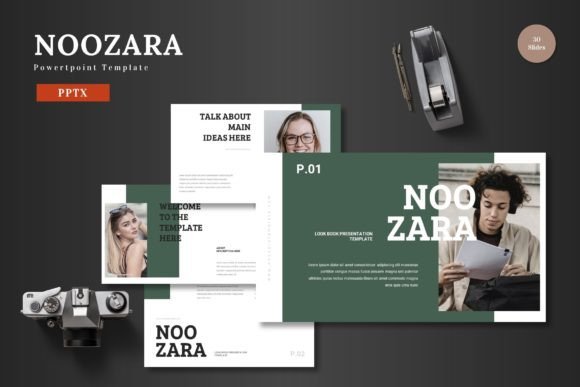
In a landscape saturated with presentation templates, finding one that is genuinely adaptable, visually compelling, and straightforward to use can feel like a search for a rare tool. The Noozara - Keynote Template stands out not through hyperbole, but through a thoughtful construction that addresses the core needs of anyone preparing to communicate visually. It is, fundamentally, a system designed for clarity and impact.
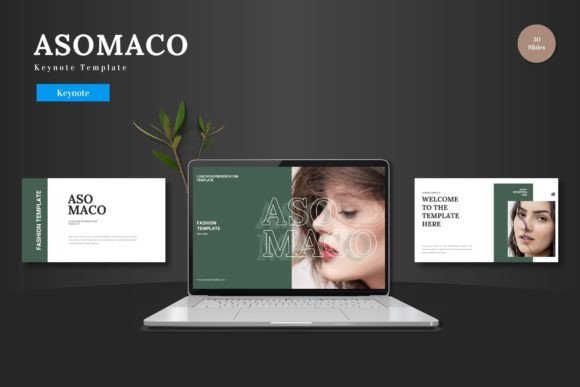
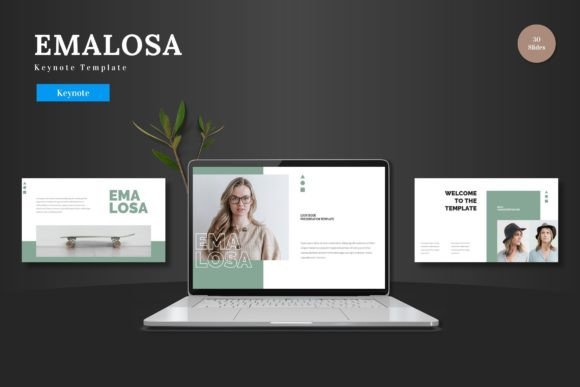
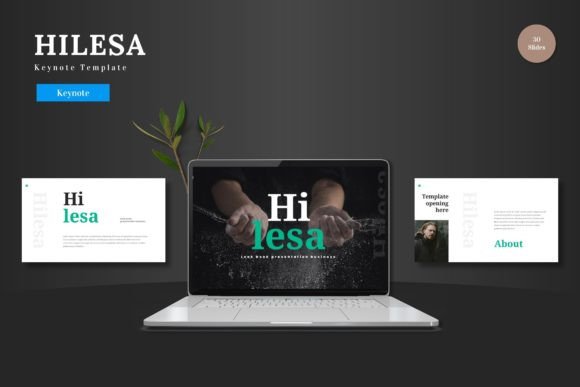
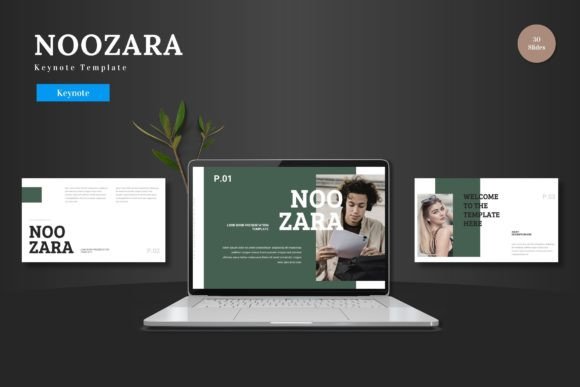
The template’s personality is clean and scalable, built upon a foundation of master slides that ensure consistency without rigidity. Its five premade color variations offer distinct visual starting points—from vibrant and energetic to subdued and professional—allowing you to match the tone of your specific audience or brand instantly. The inclusion of pixel-perfect illustrations and handcrafted infographics means the visual assets are not mere decorative filler; they are functional components designed to explain, highlight, and engage.
A Multipurpose Foundation for Diverse Communication Needs
The descriptor "multipurpose" is often overused, but for Noozara, it describes a practical reality. Its structure is suitable for a business pitch deck, where clarity of data and vision is paramount. The infographic slides and resizable graphic elements allow complex information to be broken down into digestible visual chunks. For e-commerce or product promotion, the portfolio and gallery slides provide a framework to showcase products or features in a clean, focused manner, directing the audience’s attention without distraction.
This utility extends beyond strict commercial use. Bloggers, content creators, and educators can leverage the template’s animated slides and editable picture placeholders to build narratives or explain concepts. The drag-and-drop functionality simplifies the process immensely; you are not wrestling with software but arranging content. Whether the final goal is to secure investment, launch a product, teach a process, or share a creative project, Noozara provides a coherent visual stage.
Editing Within Keynote: A Practical Advantage
A significant technical benefit is the template’s commitment to a single software environment. All elements are editable directly within Keynote Slides. There is no need to export graphics to another program for color changes or minor adjustments. You input your content, replace images into the placeholder frames, and modify colors directly on the slide. This closed-loop editing reduces friction, saves time, and lowers the technical barrier for users who may not be expert designers but need professional results. It empowers the user to maintain full creative control from within a familiar interface.
Building Visual Hierarchy and Professional Consistency
From a design perspective, a template like Noozara directly influences visual hierarchy and brand perception. The master slide foundation ensures that every slide maintains a consistent relationship between titles, body text, imagery, and data points. This consistency breeds professionalism; it tells your audience that the presentation is a cohesive, considered piece of communication, not a haphazard collection of slides.
For brand strategists and marketers, this is invaluable. Using a single, well-designed template across multiple presentations—for internal reviews, client pitches, or public conferences—reinforces brand recognition. The template becomes part of the brand’s visual identity toolkit. The five included color schemes allow for adaptation to different contexts (a more corporate blue scheme for finance, a brighter scheme for a creative launch) while keeping the underlying structural brand language intact.
The Impact of Ready-made Design Assets
The 150 total slides, divided into 30 slides per color variation, represent a substantial library of starting points. This volume means you are unlikely to start from a blank slate. You have options for section breaks, comparative layouts, quote slides, and data visualization. These are not just slides; they are pre-composed layouts that establish good design principles like balance, alignment, and focal points. For the entrepreneur or small business owner, this provides a guided path to effective design, leveraging professional layout logic without requiring deep typography theory knowledge.
Practical Considerations for Selecting and Using Noozara
When evaluating if Noozara - Keynote Template fits your project, consider the nature of your content and your own workflow. First, review the key file inclusions: the five Keynote files for each color scheme. Scan the slide thumbnails to see if the layouts—the infographic styles, the portfolio grids, the text-and-image combinations—align with the story you need to tell. If your presentation is heavily data-driven, ensure the infographic and chart slides meet your needs. If it’s image-led, verify that the gallery and placeholder setups work for your photographs or screenshots.
Since everything is editable, you are not locked into the template’s default aesthetics. You can change colors to match your brand palette precisely. You can resize the illustrations to fit your composition. This flexibility is key. A practical recommendation is to start by duplicating the master slides you intend to use most frequently and customizing them (colors, logo placement) before populating content. This establishes your custom base early in the process.
Regarding font pairing and readability, the template likely uses a combination of sans serif and serif fonts within its text placeholders. These are chosen for clarity and modern typography trends. While you can change these fonts, the default pairings are professionally selected to create a clear visual hierarchy between headlines and body text, aiding audience engagement by making the content easy to follow. For commercial licensing, the template is intended for your use in personal or business presentations; always refer to the included readme file for specific terms regarding redistribution or resale of the template itself.
Ultimately, the value of Noozara lies in its role as a facilitator. It removes the overwhelming task of designing a presentation framework from scratch and provides a robust, editable, and visually coherent system. It allows the creator—whether a designer, marketer, entrepreneur, or hobbyist—to focus their energy on the content and the message, while the template ensures that message is delivered with visual professionalism and impact. It is a tool that understands its job: to make great communication a little easier to achieve.