Benuwa: A Versatile Presentation Template for Modern Needs
Creating a presentation that is both visually compelling and effectively structured is a common challenge. You need to convey information clearly, engage your audience, and reflect a professional image, all while managing time constraints. For many professionals, entrepreneurs, and educators, the solution lies not in building slides from a blank canvas, but in starting with a robust, adaptable foundation. This is where a template like the Benuwa PowerPoint and Google Slides template becomes a significant asset.
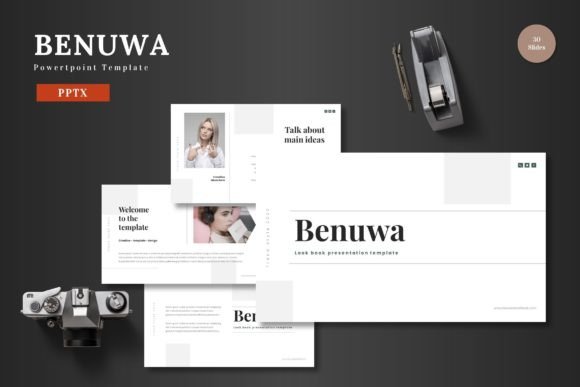
It is a comprehensive design system, offering 150 total slides organized across five distinct color schemes. The core proposition is practical: it provides a ready-to-use, editable framework that allows you to focus on your content and message, rather than on design logistics. The Benuwa template is engineered for multipurpose use, suitable for business pitch decks, e-commerce showcases, product promotions, or any scenario where clear communication is paramount.
The Practical Advantage of a Pre-Designed Structure
Imagine preparing for a crucial investor meeting. Your content is solid, but the presentation looks disjointed—different fonts, inconsistent color usage, and infographics that don't align. Starting with the Benuwa template eliminates this friction. Because it is based on master slides, every element adheres to a cohesive visual language. This consistency is not merely aesthetic; it strengthens your communication by providing a seamless viewing experience, allowing your audience to focus on your narrative without visual distractions.
The time savings are tangible. Instead of spending hours aligning shapes or searching for icons, you can input your content directly into structured placeholders. The template includes dedicated slides for galleries, portfolios, and section breaks, guiding you to organize your flow logically. For the freelancer or small business owner juggling multiple roles, this efficiency can be the difference between a rushed, generic presentation and a polished, impactful one.
Editing Simplicity: No Software Barriers
A key feature of the Benuwa template is its commitment to accessibility. All elements are editable directly within Google Slides or PowerPoint. There is no need for additional graphic software. You can replace images by dragging them into picture placeholders, change colors to match your brand, and resize any illustration without losing quality, as they are built to be pixel-perfect and scalable.
This approach democratizes good design. Whether you are a marketer with basic design skills or an educator focusing on curriculum content, you maintain full creative control without technical hurdles. The included animated slides offer a touch of dynamicity to emphasize key points, but the overall editing process remains straightforward: edit, input, and present.
Who Benefits Most from Using Benuwa?
The multipurpose nature of the Benuwa PowerPoint template means its utility spans various roles and objectives. Entrepreneurs and startup teams will find the pitch deck structure invaluable for presenting business models and financial projections with clarity. The handcrafted infographics are particularly useful for translating complex data into understandable visuals.
Marketing professionals and e-commerce managers can leverage the gallery and portfolio slides to showcase products or campaign results. The five color variations allow for quick adaptation to different brand campaigns or seasonal themes without redesigning the entire deck. Bloggers and content publishers creating webinar slides or online course materials can use the template to produce professional-looking assets that enhance credibility.
Even for personal needs, such as creating a portfolio for freelance work or a presentation for a community group, the Benuwa template helps maintain a high quality standard. It ensures that your personal projects carry the same visual weight as your professional ones.
Considerations and Optimal Use
While the Benuwa template offers extensive flexibility, it is, fundamentally, a structured framework. Its greatest value is realized when your need aligns with its designed purposes: business, pitching, promotion, and education. If your presentation requires highly specialized, non-standard diagrams or a radically avant-garde aesthetic, you may need to supplement the template with custom work.
The package includes five separate PPTX files, each representing a color scheme, and a readme file with font and photo information. This organization is helpful but requires you to choose your color theme at the outset. The widescreen format is ideal for modern displays and projector setups, ensuring your presentation fits contemporary hardware without adjustment.
A thoughtful approach is to browse the 30 slides per color scheme first, envisioning how your content would populate the existing layouts. This preview can spark ideas for flow and emphasis you might not have considered starting from scratch. The template acts not just as a design tool, but as a thought partner for structuring your narrative.
From Template to Effective Communication
Ultimately, a tool like the Benuwa PowerPoint and Google Slides template bridges the gap between having great content and delivering a great presentation. It addresses the common pain points of design inconsistency, time consumption, and technical complexity. By providing a clean, colorful, and fully editable canvas, it empowers you to allocate your energy where it matters most: refining your message, understanding your audience, and presenting your ideas with confidence.
The result is a presentation that feels cohesive, intentional, and professional. It supports your goals by ensuring your visual aids complement rather than compete with your spoken words. In a world where communication is often digital and visual, having a reliable, scalable template like Benuwa can simplify one of the most frequent tasks, turning presentation creation from a chore into a streamlined, even creative, process. You adapt the tool to your needs, input your unique content, and present your work to the world, backed by a design that enhances its impact.